
What is OpenCast and why should I use it?
OpenCast offers auto posting and trimming of Zoom videos to Canvas, captioning, editing, access control, archiving, and integration with Immersive Classroom.
OpenCast is an open source platform for processing, storing, and delivering video recordings to viewers. Harvard DCE’s custom version of OpenCast is heavily integrated with the other components of DCE online course delivery such as Canvas, Immersive Classroom, Gather, and Zoom, and is a crucial part of supporting your course delivery behind the scenes.
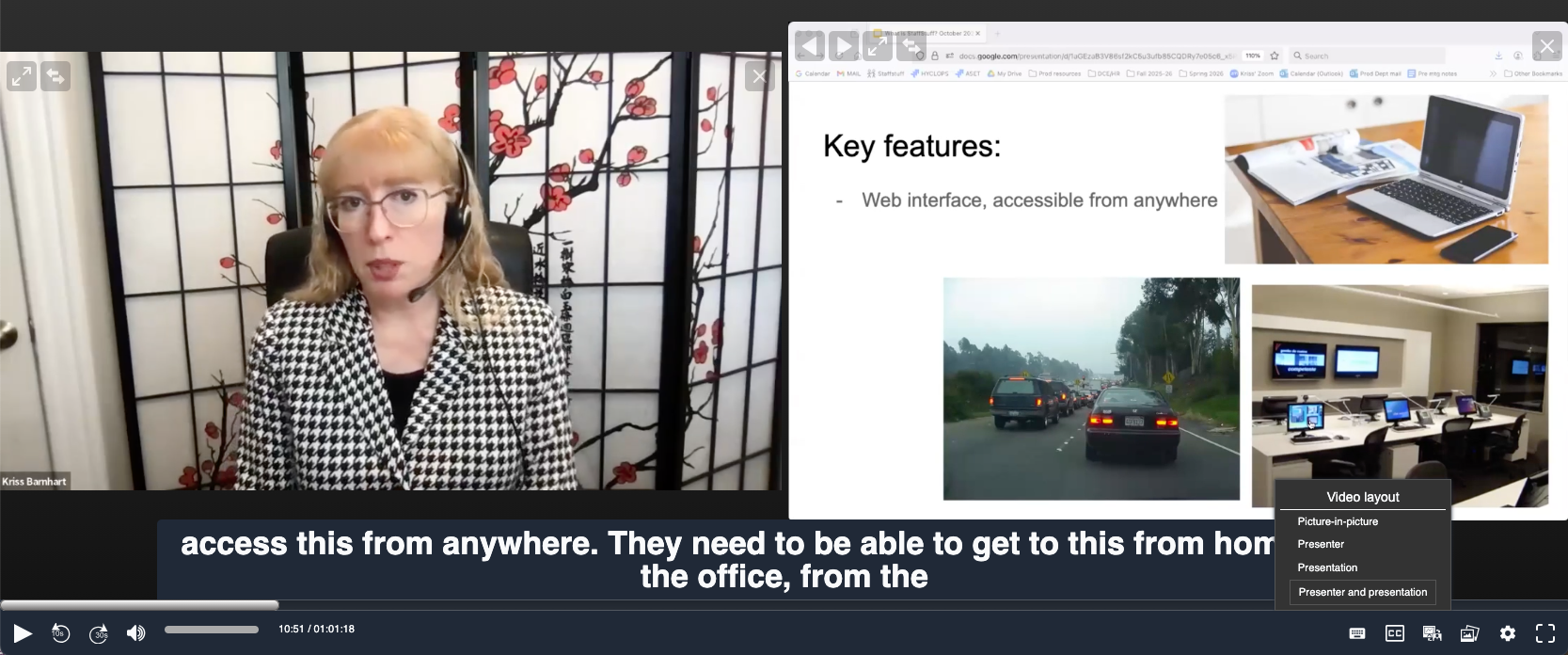
OpenCast uses the Paella player to deliver the video content, often within the context of the Immersive Classroom interaction tools. The player uses a dual window arrangement to simultaneously play the camera video and the screen share if there is one. The viewer can change the size and arrangement of the two windows as needed to see video content clearly.
Who can use OpenCast to teach at Harvard DCE?
Crosslisted and flexible attendance courses: yes!
You will be using OpenCast for video hosting if you are teaching a DCE course which is crosslisted with Harvard College, or which has a flexible attendance option. In flexible attendance, the DCE course catalog lists the class meeting at a certain time in either web conference or on campus, but students are officially permitted to view a recording rather than attend at that time.
Since DCE guarantees these recordings for course delivery, they are set up by our technical staff to automatically ingest into the OpenCast system and appear as a “Class Recordings” listing on your Canvas site within a few hours of class. DCE technical staff will check that your recordings appear correctly in Canvas, and will assist with any issues.
Live attendance courses: no
If your DCE course is listed as requiring live attendance (either in person or in web conference), you may choose to self record in Zoom where possible, but will be posting any recordings yourself in Gather. The recordings will not be ingested to OpenCast and you will not have a separate Class Recordings tab in Canvas maintained by production staff. There may be exceptions if needed for disability accommodations such as professional closed captioning.
Fully asynchronous courses: optional
For DCE course formats which are fully online and asynchronous, you may optionally choose to work with the DCE Classroom Video Production and OpenCast Services team to host your video assets in OpenCast. Hosting in a personal account or a with third party may include advertising, compromise intellectual property, or create student privacy and security issues.
DCE’s OpenCast Paella player can be embedded directly in Canvas pages using our OpenCast Embed Tool, or can be included as a link with or without the Immersive Classroom enabled. We recommend a consultation with our Teaching and Learning team to help decide if OpenCast video hosting and the Immersive Classroom are right for your needs.
Please be sure that DCE’s Classroom VIdeo Production and OpenCast Services team is aware each semester that you re-use videos hosted in OpenCast, so the current cohort of students can be given playback permissions and a fresh start on the Immersive Classroom content if applicable.
How is OpenCast different from posting my own recordings in Gather?
Interactive and annotation tools
DCE’s new “Immersive Classroom” tools and interface are only available when your videos are hosted in OpenCast. These features include asynchronous student chat, pairing up asynchronous students for in-class activities, and more!
Automatic posting
DCE’s OpenCast is able to automatically post recordings that are made during your scheduled class time, so you do not need to remember to post them yourself. However, if you make any recordings outside of class time that you want posted, you will need to let the Classroom Production team know. We can also assist with setting up automatic posting of weekly sections, reviews, or other recurring meetings. We cannot set up automatic posting in Gather.
Automatic trimming
DCE’s OpenCast will automatically trim off the portions of your recording at the beginning and end that have no audio. For example, if your recording automatically begins when you open the Zoom meeting, but you do not turn on your microphone until after you have set up your slides and are ready to begin, the silent portion is automatically edited out.
If you would like to change this setting, please contact the Classroom Production department to discuss the options best suited to your class.
Closed Captioning
DCE’s OpenCast videos are automatically captioned by AI speech recognition software a few hours after the video appears on your listing. If required for ADA accommodations, a professionally transcribed caption file can be attached within a few business days for improved accuracy.
Self service editing; staff assisted editing
DCE’s OpenCast offers self-service editing of your videos for a time after they are posted to Canvas. There is an option to edit your videos before they are seen by students as well; please contact Classroom Production to learn more and enable this variation. You can also contact us for assistance removing inappropriate content in OpenCast if you are not comfortable using our self-service features.
While Zoom allows you to edit your videos also, and Gather would show that edited version, this form of editing is not FERPA compliant. Some browsers do not respect the “curtains” that Zoom adds and instead play the whole video unedited, so Zoom edits are not a reliable way to remove sensitive content when needed.
Adding supplemental videos
Gather does not allow upload of additional video content that was not recorded via a Zoom link contained in that instance of Gather. While we do not currently have a self-service upload option in OpenCast either, our staff can assist you with adding supplemental video content to the “Class Recordings” page. Video hosted in OpenCast is not counted against your Canvas file storage limit.
Flexible, granular video access
Playback access of DCE’s OpenCast videos is limited by default to the students enrolled in the DCE course in the current semester. If there are associated cross listed courses, the instructor may request that those students also be given access to the recordings, either as a group or individually as needed.
Additional guest access is subject to DCE privacy policies and FERPA compliance, but within those guidelines can be requested as well.
Archive
Recordings hosted in Zoom and posted via Gather are available only as long as they are not deleted in Zoom, and policies on retention time may vary. DCE’s OpenCast recordings are kept in an archive for several years, for the instructor’s use and potential re-use in future offerings of the class. We will never re-use your recordings without permission, and any use is always subject to FERPA and DCE student privacy policies.
Contact
For questions or assistance with hosting course videos on DCE’s OpenCast system, contact DCE Classroom Video Production and OpenCast Services at production @dce.harvard.edu
Article by Kriss Barnhart, Associate Director for Classroom Video Production and OpenCast Services, Harvard Division of Continuing Education, March 2026